

Lightly vs. V7 Darwin: Technical Comparison
Table of contents
Share blog post



Lightly and V7 Darwin address different needs in the CV pipeline. Lightly is a data-centric, end-to-end platform spanning curation, pretraining, and auto-labeling, while V7 Darwin specializes in scalable, compliant enterprise annotation workflows.

Share blog post
Lightly vs. V7 Darwin: End-to-End Data-Centric ML vs. Enterprise Annotation at Scale

- Lightly is a data-centric, all-in-one platform for computer vision teams. It offers dataset understanding, self-supervised pretraining, fine-tuning, auto-labeling, and data curation, covering the entire ML lifecycle from raw images to production-ready models.
- V7 Darwin is an enterprise annotation and dataset management platform built for labeling at scale. It works in annotation workflows, AI-assisted labeling, and compliance for regulated industries like healthcare.
High-quality data often drives performance in modern machine learning (ML), especially in computer vision.
Two leading solutions, Lightly and V7 Darwin, come into the discussion when ML teams need a data-centric platform to curate, manage, label, ensure data quality, and train models.
Both tools solve the data bottleneck, but they approach the problem from different angles.
In this article, we will compare Lightly vs. V7 Darwin across features, workflows, and practical applications to help you decide which is the right fit for your ML needs.
See Lightly in Action
Curate and label data, fine-tune foundation models — all in one platform.
Book a Demo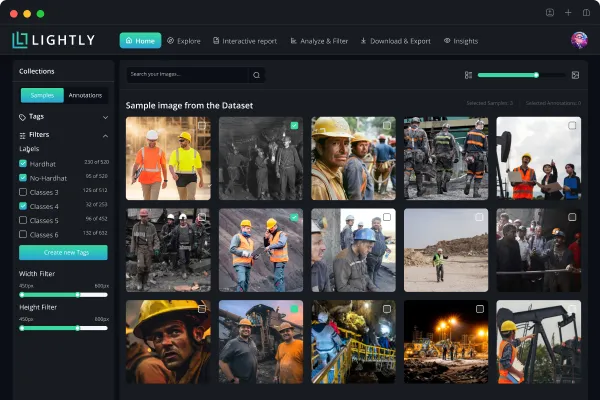
Platform Overviews: Lightly vs. V7
Before diving into the detailed comparison, let's review the profiles of each platform and their role in a computer vision workflow.
And if you are short on time - here’s a table summarizing main differences.
Lightly: The All-in-One Platform for Vision Data and Models
Lightly provides a unified data curation + training platform built for computer vision (and emerging multimodal) workflows.
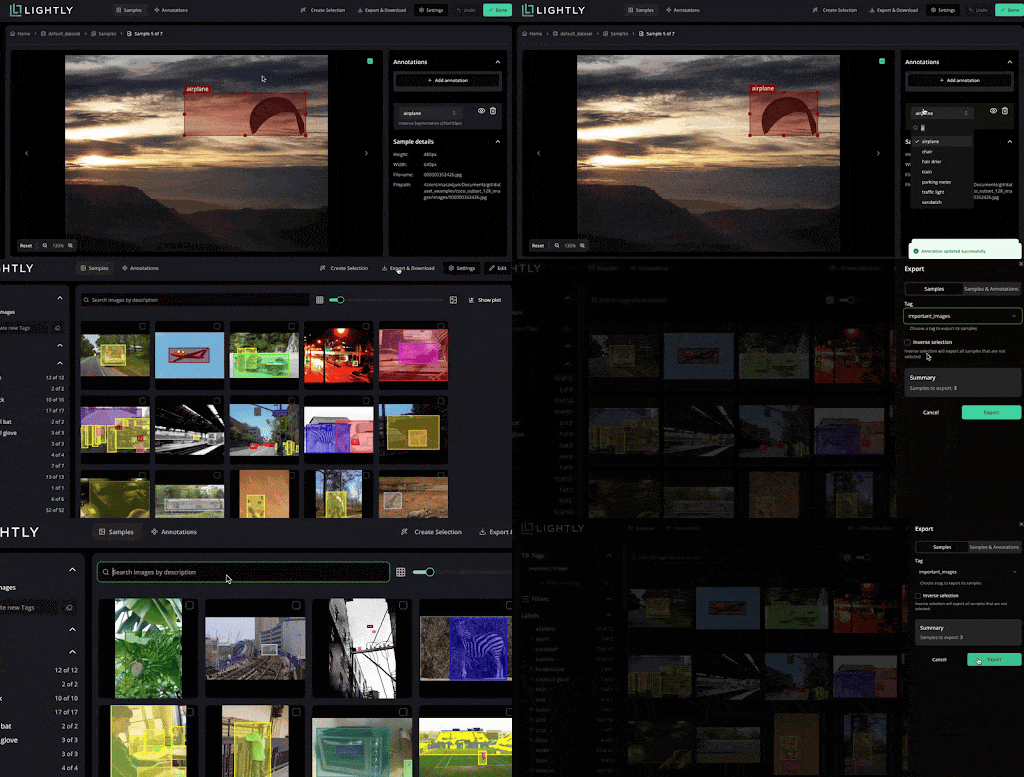
LightlyStudio combines dataset curation, annotation, and management in a single interface. It helps you visualize and explore datasets, curate subsets for labeling with inline editing, and perform quality assurance (QA).
LightlyStudio is designed for technical users with a friendly UI for collaboration with non-technical users. You can deploy it with minimal effort on-premises or in the cloud, with enterprise security (SSO, 2FA).
And since LightlyStudio is API-driven, teams can script bulk operations via its Python SDK or CLI. All steps from data ingestion to labeling can be orchestrated in code.
LightlyTrain supports self-supervised model training. It allows you to take your unlabeled images, pretrain a vision model, fine-tune models for tasks, and even auto-label using model predictions.
LightlyTrain also supports distilling knowledge from SOTA models, such as DINOv3, into simpler models, such as ResNet18.

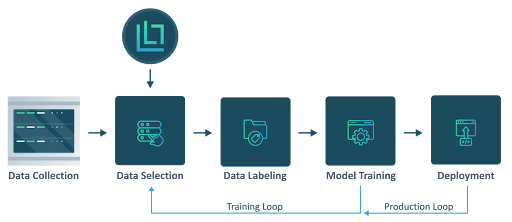
Simply put, Lightly’s workflow is curate first, train later. You move from data selection to labeling (LightlyStudio) to model training (LightlyTrain) within a single environment (without switching between tools).
V7 Darwin: Enterprise Annotation and Dataset Management
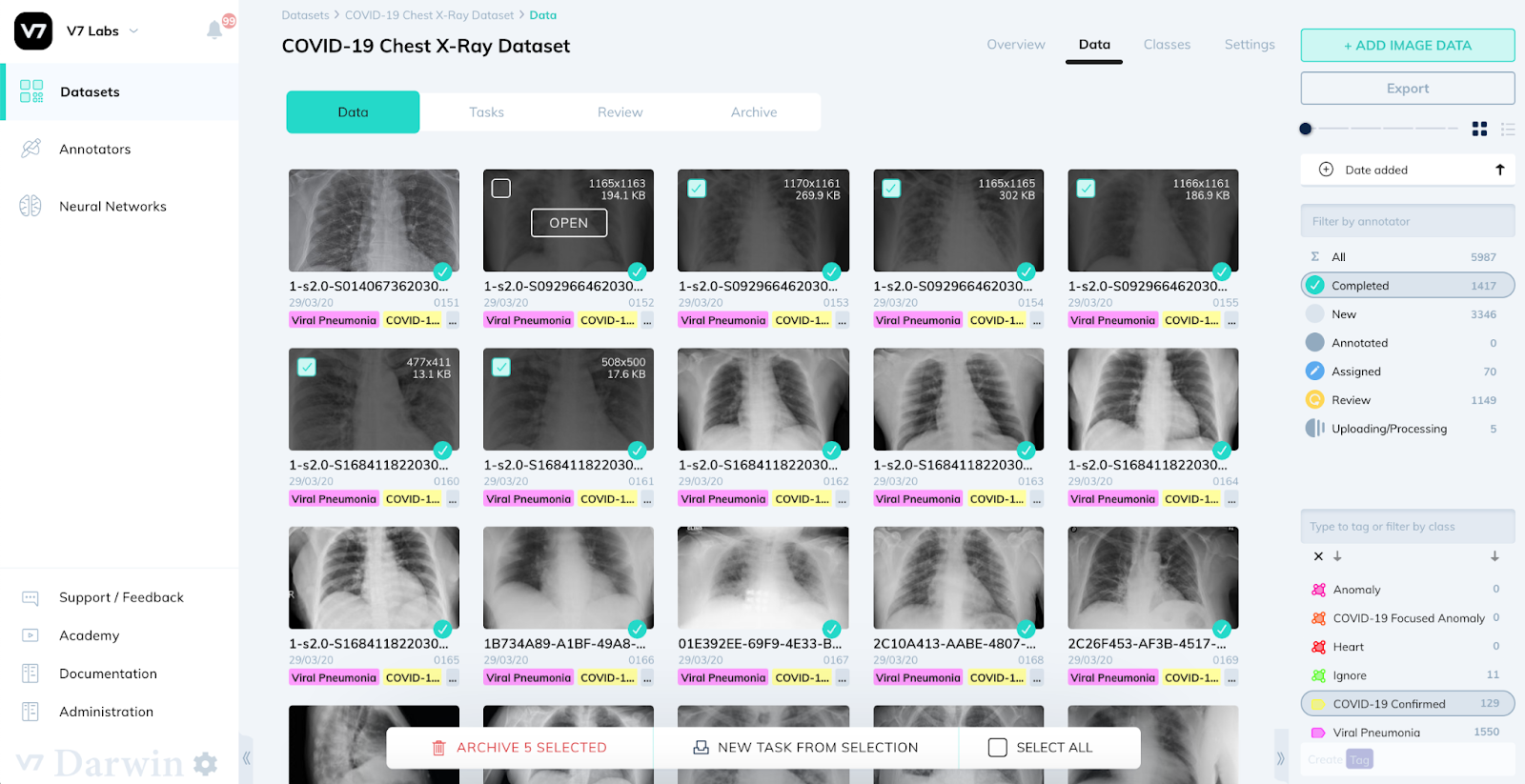
V7 Darwin is a data labeling and dataset management platform made for annotation at scale. It focuses on building large annotated datasets for industries such as healthcare, radiology, pathology, and autonomous driving.
Darwin offers a set of annotation tools for images, videos, and volumetric medical data, including bounding boxes, masks, and keypoints, and supports DICOM/NIfTI formats.
Its Auto-Annotate features offer AI-assisted annotation with models like the Segment Anything Model (SAM) to reduce manual annotation effort.
Unlike Lightly, V7 does not include model training or embedding-based selection out of the box. But it supports model-in-the-loop workflows to integrate external models for pre-labeling, surfacing complex samples, and running active learning loops.
💡 Pro Tip: When comparing annotation and dataset management platforms, consult Best Data Curation Tools to see how different tools handle curated data preparation for downstream model training.
Lightly vs. V7 Darwin Features Comparison
Let's see how Lightly and V7 address key aspects of the ML pipeline.
Data Curation and Sampling
Lightly
LightlyStudio offers advanced data curation using embeddings and contrastive learning techniques.
When you import a dataset into LightlyStudio from cloud storage or local storage with millions of images, Lightly automatically generates embeddings for all images.
These embeddings provide a quick view of the dataset structure. You can see clusters of similar images, identify duplicates or near-duplicates.
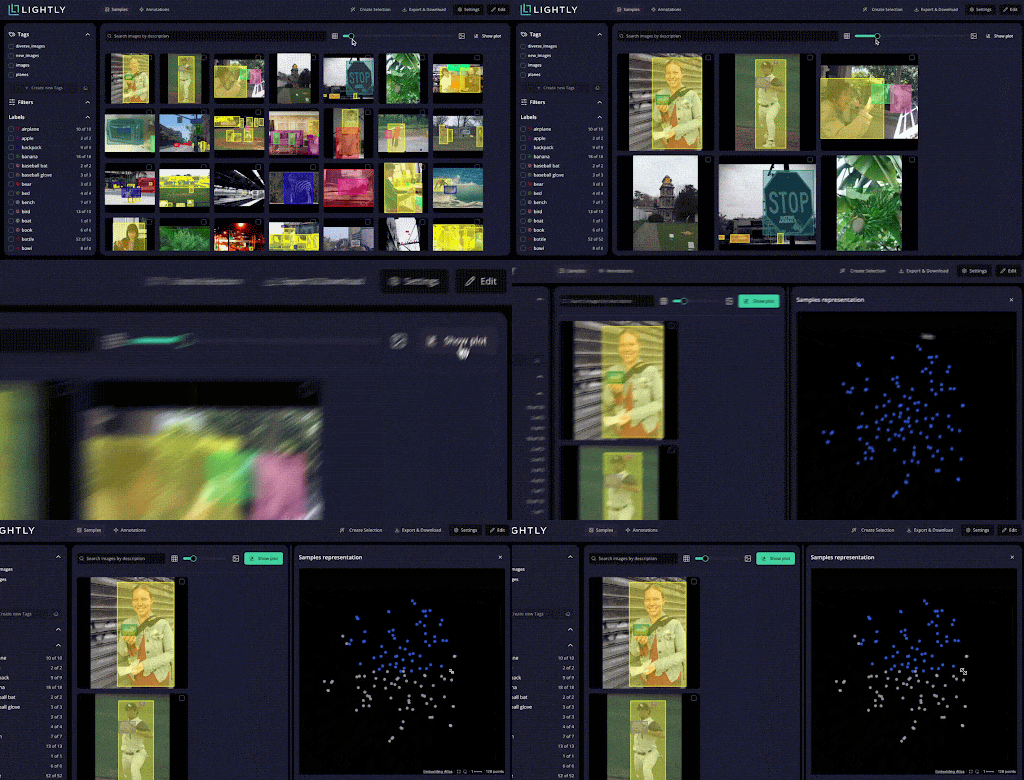
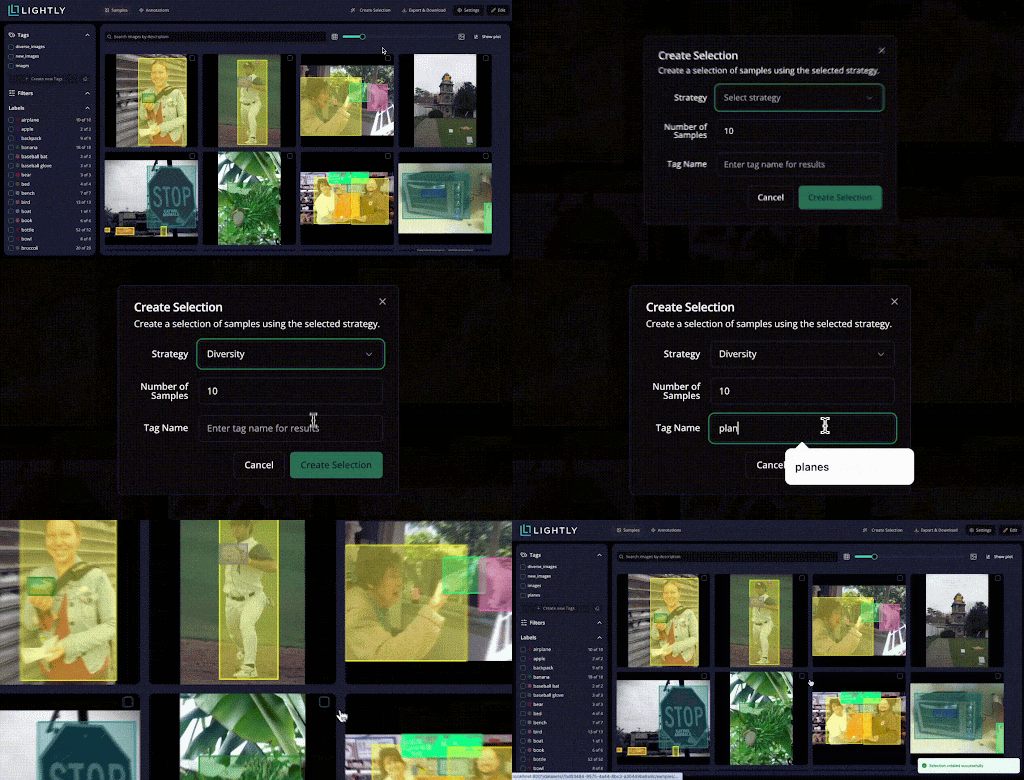
You can also spot data biases before spending time on annotation. LightlyStudio uses multiple active learning strategies, including:
- Diversity sampling to pick the most representative images across the entire dataset.
- Another one is Metadata thresholding filters by custom criteria like image quality or capture conditions.
- Uncertainty-based selection identifies samples where your model is least confident. This targeted approach can reduce labeling requirements by up to 90%.
V7 Darwin
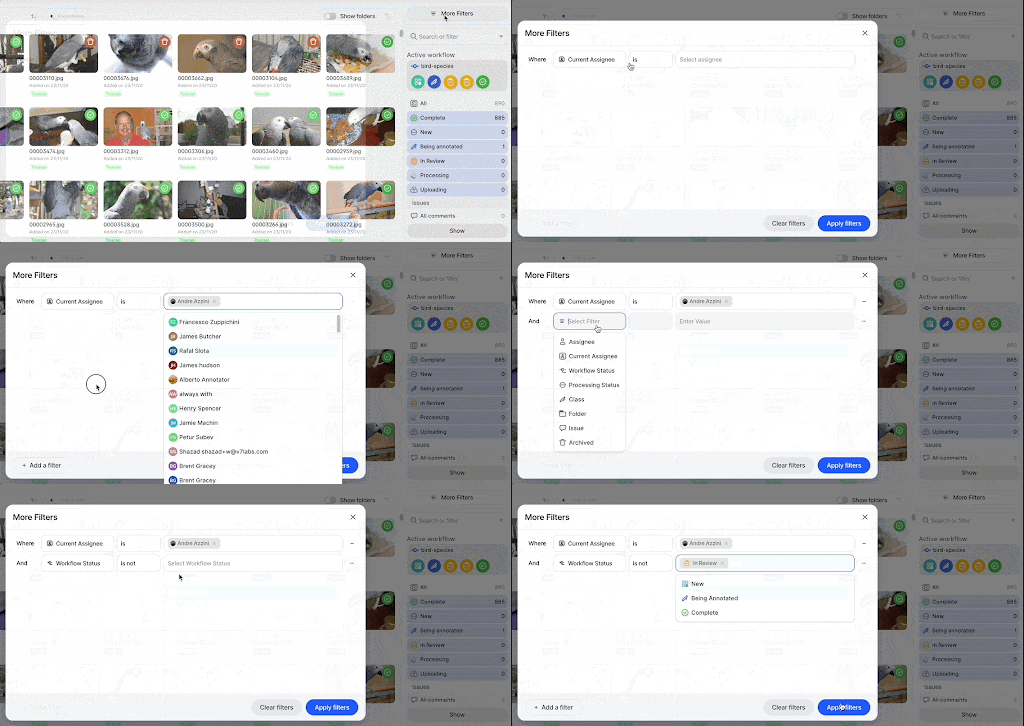
V7 provides only basic data curation through filtering and metadata tools combined with model-in-the-loop selection strategies.
But there’s no built-in embedding-driven selection like Lightly does, to cluster data or suggest items to label first.
It organizes data into projects and datasets, which can be managed and searched. You can filter by file type, upload date, annotation status, or custom metadata fields.
Simply put, V7 expects you to do the sampling step yourself, while Lightly automates it.
Annotation Tools and Automation
Lightly
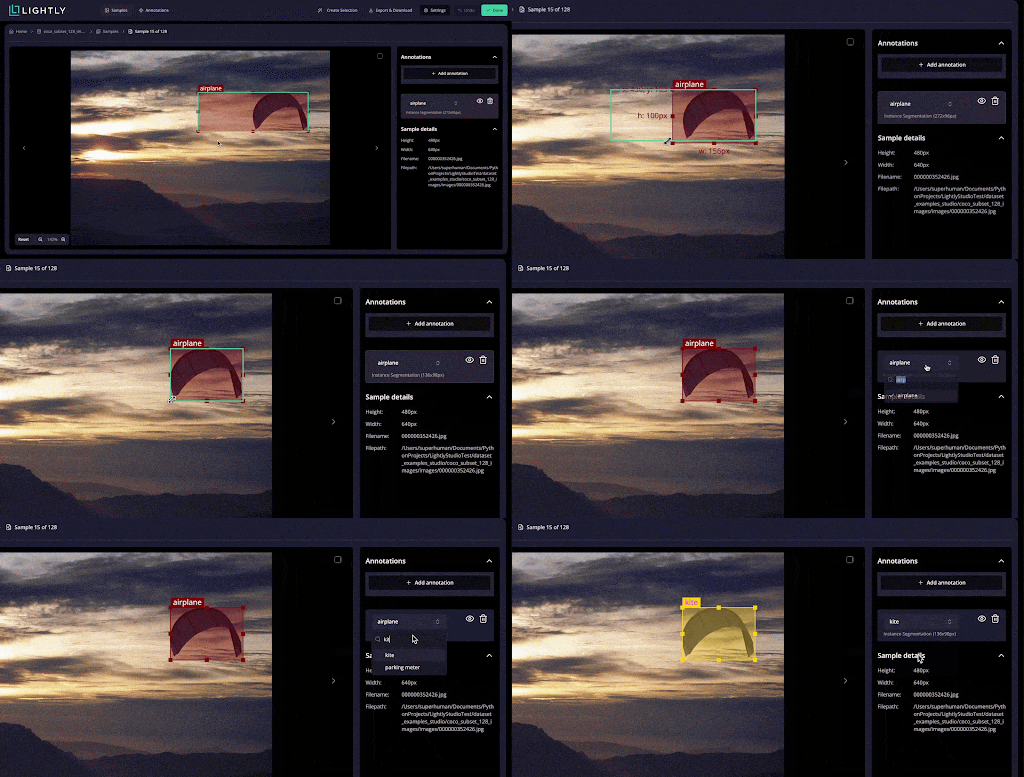
LightlyStudio provides a unified annotation interface for images and videos.
You can annotate data for computer vision tasks such as image classification (class tags), object detection (bounding boxes), instance segmentation & semantic segmentation.
You can label in a grid view (or single-image view), quickly jump between samples, and correct annotations without switching between different interfaces.
LightlyStudio's built-in QA checks and inline editing speed up quality assurance workflows a lot.
LightlyTrain includes an auto-labeling option that generates pseudo-labels using foundation models. These auto-generated labels serve as starting points that annotators refine.
💡 Pro Tip: To evaluate how foundation models like CLIP can augment annotation and auto-labeling workflows across platforms, read OpenAI CLIP Model Explained for insights into multimodal embedding strategies that extend beyond traditional vision pipelines.
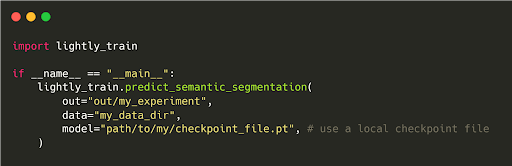
You can use the predict_semantic_segmentation function to generate semantic segmentation masks for a dataset using a pretrained model checkpoint.
An example command looks like this:
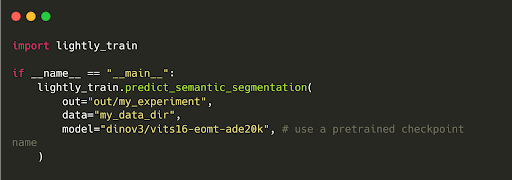
Or for a local checkpoint:
Lightly offer built-in support for active learning loops.
As soon as you start labeling a batch, Lightly can retrain (or fine-tune) a model on the newly labeled data and use it to highlight additional data points of interest.
Pro tip: Need external labeling support? Check out our Top 5 Data Annotation Companies in 2025 to find trusted partners for high-quality annotated data.
V7 Darwin
Darwin supports all commonly used annotation formats like bounding boxes, polygons, polylines, keypoints, semantic masks, video interpolation, and object tracking.
It also supports medical imaging with native DICOM and NIfTI file formats. You can annotate 3D medical volumes directly without converting to standard image formats.
Auto-Annotate provides one-click segmentation using SAM and reduces manual effort.
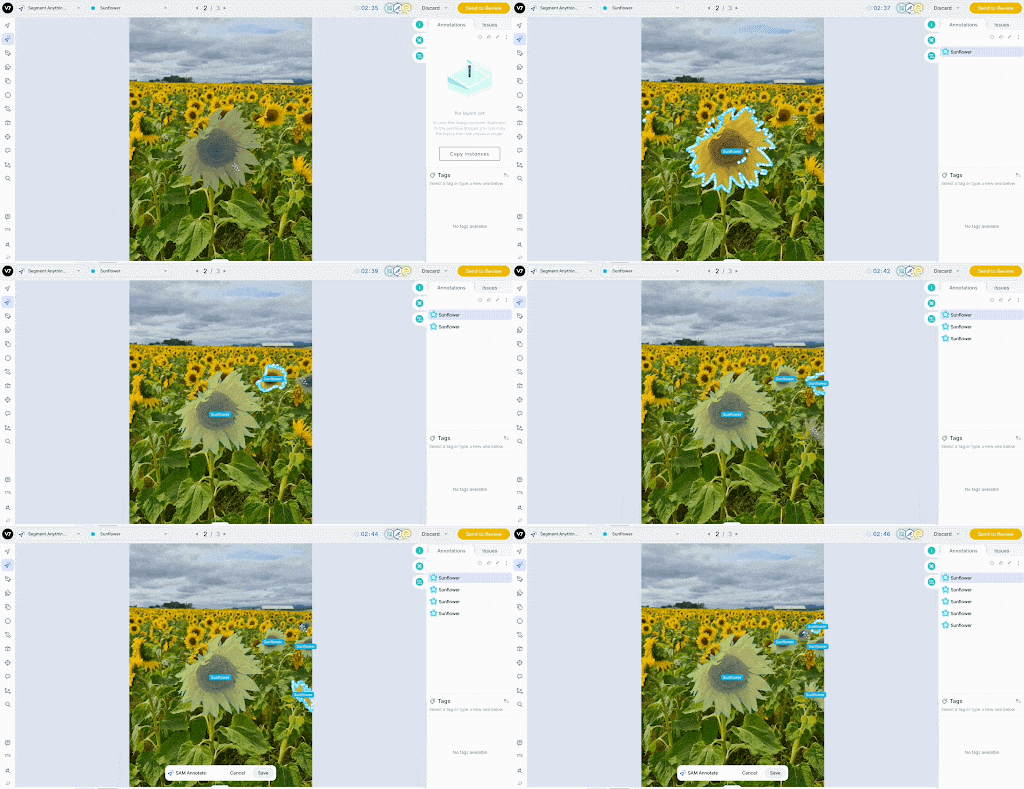
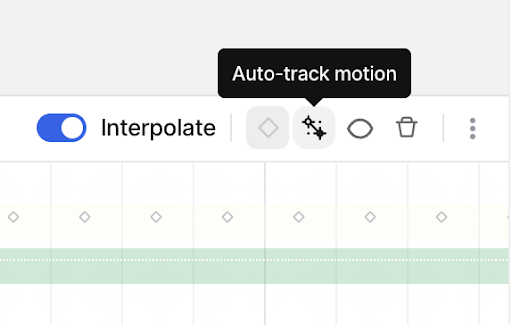
For video, V7’s auto-tracking drags labels across frames and automatically handles objects entering and exiting the view.
V7 also provides workflow automation to add rules so that once all labels in a frame are done, it automatically moves the task to the next stage or person.
Model Training and Integration
Lightly
LightlyTrain lets self-supervised pretraining of vision models on unlabeled data using SSL techniques such as DINOv2, DINOv3, and SimCLR.
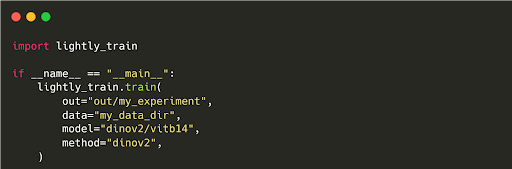
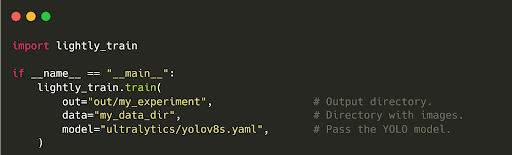
You can pretrain and fine-tune models from Ultralytics, Torchvision, TIMM, SuperGradients, and RT-DETR frameworks.
In fact, LightlyTrain pretraining helps you achieve a 14% higher mAP than training from scratch, even with limited labeled data.
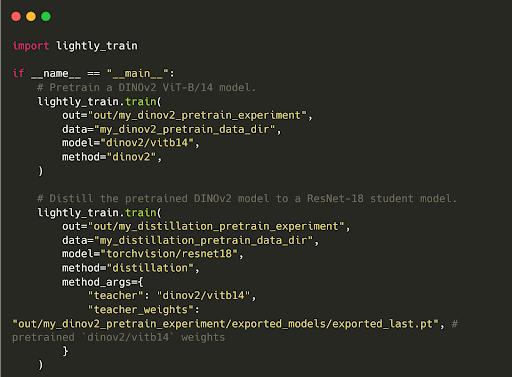
LightlyTrain also lets you distill knowledge from large foundation models into smaller, efficient ones.
For example, compressing knowledge from DINOv2 (a large model) into a ResNet18 student model. The student gains strong visual representations while remaining deployable on edge devices.
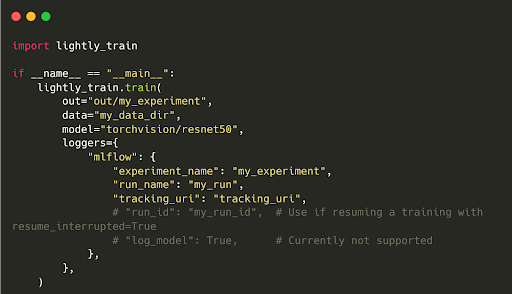
LightlyTrain is easily integrable with experiment tracking tools like TensorBoard, Weights & Biases (wandb), and MLFlow. So, you can monitor training metrics, visualize embeddings, and track model performance across experiments.
V7 Darwin
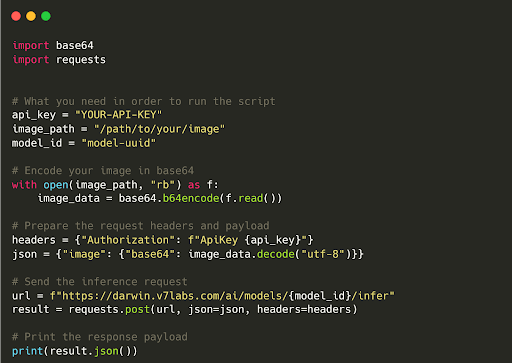
Darwin handles annotation, and you handle model training using your selected frameworks, since V7 Darwin does not natively train vision models.
But through API and Python SDK, it fits well into existing MLOps pipelines to trigger workflows such as labeling and running the model.
Quality Assurance and Review Workflows
Lightly
LightlyStudio provides inline QA workflows for quick visual quality assurance of labeled data. You can review annotations directly in the same interface used for labeling.
Multiple team members can work in parallel with simple tagging and filtering to identify suspicious annotations or outliers.
LightlyStudio tracks which annotator and which version of the dataset a label came from. If a batch of annotations turns out problematic, you can roll back to a previous version.
Also, embedding-based analysis helps in finding annotation inconsistency. Samples that don't match expected patterns in the embedding space get flagged for review. This way, you can catch the edge cases easily.
V7 Darwin
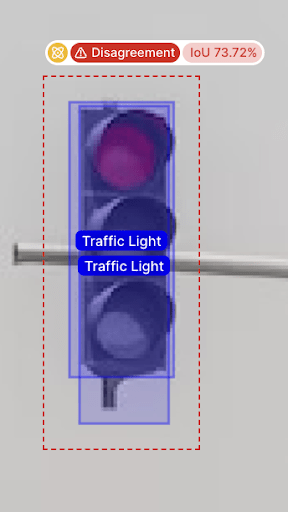
Darwin offers review systems with dedicated review/approve workflows. It computes the agreement score in the Consensus Stage whenever two people label the same item and highlights disagreements for arbitration.
Built-in QA roles provide controlled access. Annotators can label, reviewers can approve or reject, and administrators manage the workflow. Each role has specific permissions that enforce quality processes.
Furthermore, you can conduct systematic quality audits using metrics to track annotator productivity, accuracy, and consistency over time.
Here is a comparison summary of Lightly vs V7 Darwin on key dimensions of data-centric ML workflows.
Real-World Use Case Scenarios
To ground the comparison, let’s see how each platform performs in specific computer vision scenarios.
Scenario 1: Medical Image Curation for Model Development
Suppose a medical imaging startup has collected 100,000 chest X-rays from multiple hospitals. They want to build a lung abnormality detection model without labeling all 100k images at once.
- Lightly Approach: The team uploads 100K X-rays to LightlyStudio. Using LightlyTrain, they pretrain a domain-specific model on 100K samples to generate embeddings. In Studio, they see clear clusters and use diversity sampling to select a diverse subset of approximately 5,000 images covering all clusters.
- The team labels these 5K in LightlyStudio. Then, using the labeled data, they can fine-tune a model pretrained on 100K or any preferred architecture. In the end, they achieve high model performance by labeling only about 5% of the data (Lightly's intelligent curation guided).
- V7 Darwin Approach: The team uploads all 100k X-rays to V7 Darwin. They use a pre-trained public model to predict on all images. With predictions imported into V7, they filter for uncertain cases where the model confidence is low. They label this batch in V7's interface using bounding boxes or classification labels for findings.
- After training a model (externally) on that batch, they repeat the cycle. A classic model-in-the-loop active learning approach is applied. Over iterations, they focus on labeling the most confusing X-rays.
In sum, Lightly automates sample discovery via embeddings, while V7 relies on model-based filtering. In fact, SDSC processed 2.3 million surgical video frames in one month using Lightly, achieving a 10× acceleration in labeling speed by letting Lightly select only the most informative frames for annotation, rather than labeling every frame.
Scenario 2: Clinical Annotation QA and Review
Consider a healthcare AI company that has a dataset of MRI scans with tumor outlines. They must prepare these for FDA submission, so the labels must be highly accurate and include a clear audit trail.
- Lightly Approach: They use LightlyStudio for initial annotation passes with an in-house team. After labeling, they run a LightlyTrain model trained on current labels to check for annotation inconsistencies.
- For example, predicting tumors that were not labeled. Using Lightly's visualization, they quickly spot outliers where the model strongly disagrees. Flagged images go to a senior radiologist for review. While Lightly doesn't have dedicated multi-reviewer workflows, its versioning system helps track corrections across dataset iterations. This iterative QA catches glaring mistakes by using the model's predictions as a second opinion.
- V7 Darwin Approach: The company onboards two radiologists and three annotation specialists into V7 Darwin. They set up a consensus workflow. Two different specialists annotate each MRI scan. Radiologists use V7's review tool to compare annotations side-by-side and decide on the differences. If one annotator missed a small tumor, it's caught in this double-reading step.
- V7 tracks agreement scores for each annotator pair. The team uses this data to focus training where needed. Each MRI has a gold standard label approved by an expert at the end. V7's platform enforces a hospital-grade double-reading protocol entirely within the app.
In sum, both platforms can produce high-quality labels. Lightly allowed the use of a model for sanity checks, and V7 managed the entire multi-annotator workflow within the app to enforce consistency.
Final Thoughts
Lightly integrates a data-centric workflow (better data selection leads to better models), from smart sample selection, labeling, and data management to model pretraining and fine-tuning.
V7 Darwin is all about annotation excellence and makes labeling workflows fast and manageable at enterprise scale.
Which to choose? It depends on your needs. If you face a large unlabeled dataset and need to mine the most valuable samples, Lightly’s data-centric approach can improve model performance with much less labeling effort.
If your primary challenge is organizing annotation effort (thousands of images, many annotators, strict QA), V7 Darwin might fit your workflow better.
Stay ahead in computer vision
Get exclusive insights, tips, and updates from the Lightly.ai team.

.png)
.png)